Local files
Application files
Note: all paths are given using a default setup install, some paths may change if installed Portable mode or by specifying a different install folder than defaults
Work and config files
RailLab requires and creates several files and folders on the filesystem, here’s an exhaustive list of locations:
%localappdata%\RailLabData: RailLab temporary work data files, can be deleted safely when RailLab is closed if necessary%appdata%\RailLab: RailLab user settings and license files%appdata%\RLauncher: RLauncher user settings
Additionally the user will be able to generate and use project data files (such as .rlab database or .png export files), those files location are entirely decided by the end user
Code binaries and digital Signatures
RailLab executable files (.exe and .dll) will be located in the following locations:
%localappdata%\RailLabAlpha:Alphachannel install folder%localappdata%\RailLabReleaseCandidate:Release Candidatechannel install folder%localappdata%\RailLab:Releasechannel install folder%localappdata%\Temp\.net\RailConcept.RailLab: Temporary self-extracted binaries from RailLab’s .NET self-contained single file publish, can be deleted safely when RailLab is closed if necessary%localappdata%\Temp\.net\RailConcept.RLauncher: Temporary self-extracted binaries from RLauncher’s .NET self-contained single file publish, can be deleted safely when RailLab is closed if necessary
About the .NET self-contained single file publish binaries:
C#.NET support for single file is currently implemented by creating an .exe file that bundle all the necessary .dll files in the .exe
We would have hoped to not have more binaries created on the fly or at least have more control on where those files are extracted, sadly this is not currently possible in .NET
Digital signatures
Every RailLab executable binary published by Rail Concept is signed either by Rail Concept or Microsoft itself
For example:
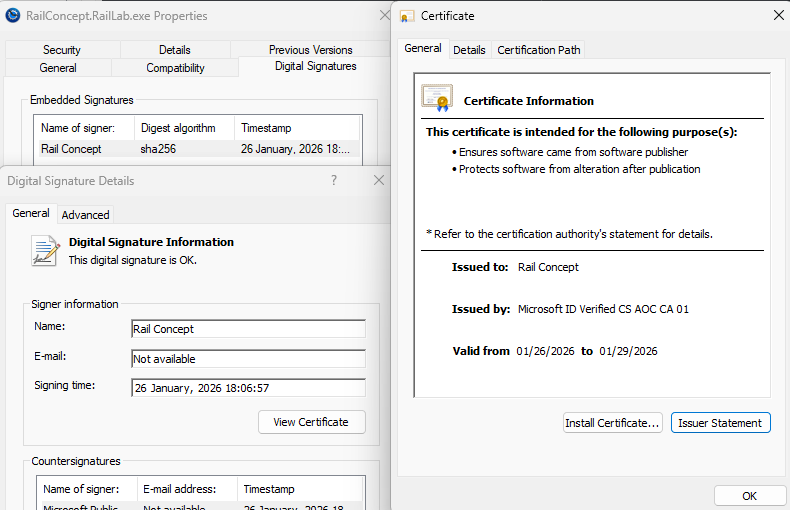
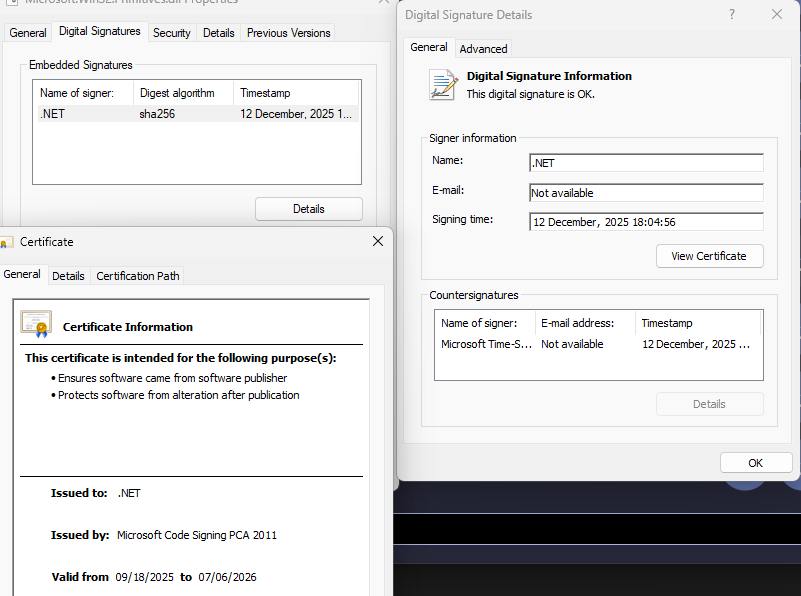
Signatures are done using short lived, revocable certificates with Microsoft’s Azure Artifact Signing Account (previously named Trusted Signing Account)
Signing timestamping is done with http://timestamp.acs.microsoft.com and SHA256 digest
All binaries self extracted due to the .NET single file publish process in %localappdata%\Temp\.net\RailConcept.RailLab are also signed the same way
Logs
RailLab produces logs in the following folder:
%localappdata%\RailLabData\Logs\: files namedRailLab-{channel}-{version}-{date}.rlogfollowing the Compact Log Event Format
Backups
The databases are a work files (.rlab, .rflow) used by RailLab as input
Like any other file, users and/or administrators are free to make backups and copies of it, just as they would with any other file located on their machine
RailLab makes regular rolling backups of open .rlab files in the RailLabData\Shadow folder
The location of this folder is relative to the RailLab installation folder as defined by the person(s) in charge of deploying RailLab
The purpose of these backups is to preserve up to 24 hours of continuous work on open .rlab study databases in the event of a failure (power outage, software crash, etc.)
The basic .rflow workflow files are not affected by this backup system because they do not persist modelling data