SSO Integration
SSO Sign in and license check flow
RailLab acquire JWT for to request its services (RC License API, RailSync API) using OAuth2 Authorization Code Flow with Microsoft login service at the following url: https://login.microsoftonline.com/organizations/
Here’s a chart explaining how a license is acquiring from the JWT to the actual license:
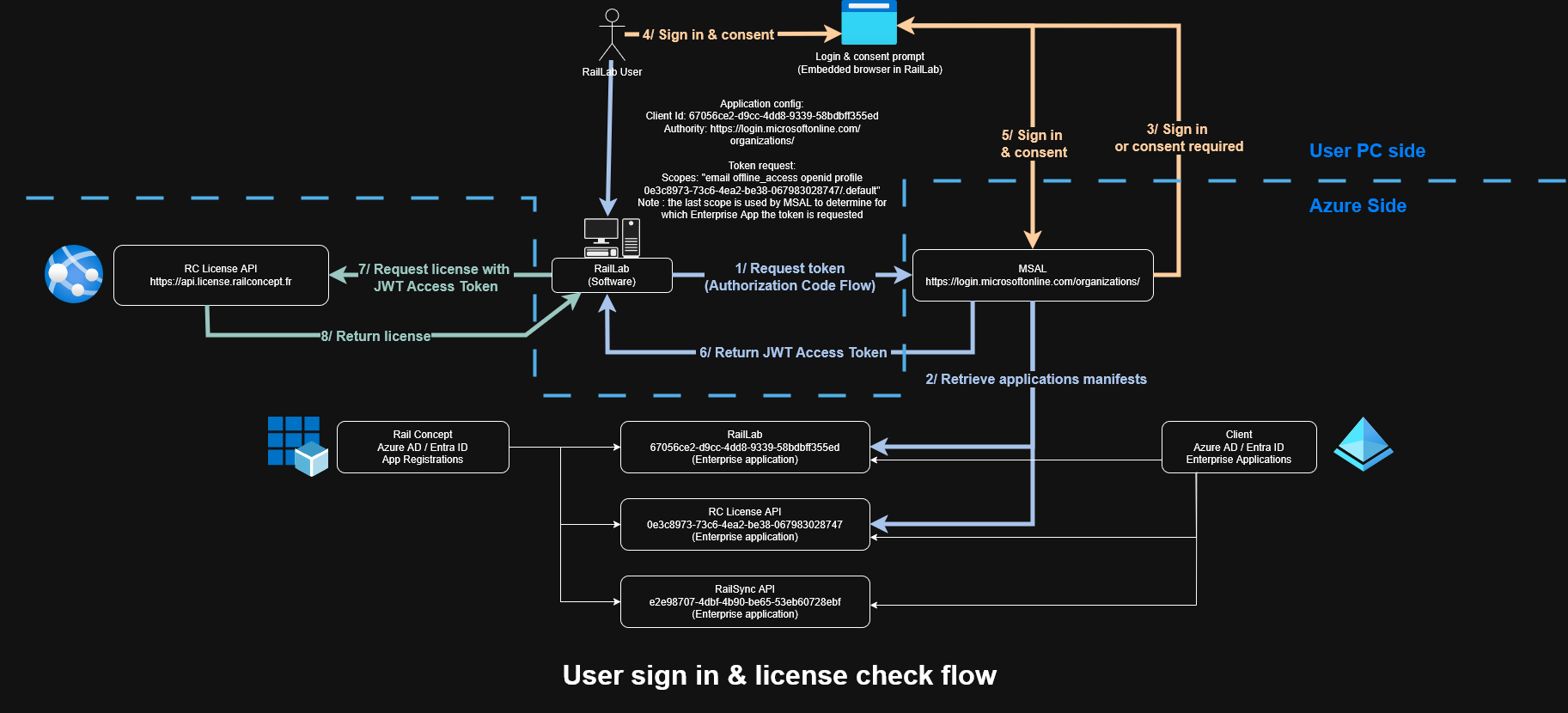
Reminder: RailSync API is an additional service to RailLab and entirely optional
Enterprises applications
Enterprises applications are instances of OAuth2 application in your Azure Entra Id (previously Azure Active Directory)
To integrate RailLab in SSO, some applications are required to be set up in your Enterprise Applications
Checking if applications are present
To check if they are present in your Entra ID, simply search for them in “Enterprise Applications” in your Azure Portal:
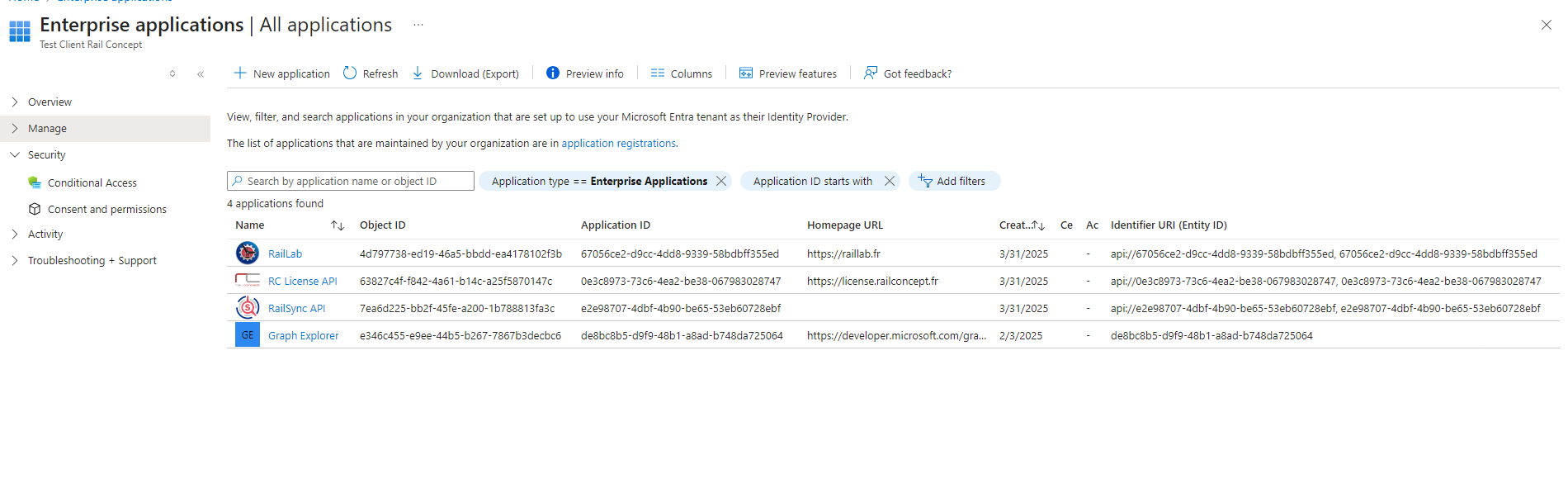
If you cannot see the applications, either they are missing and need to be added in Azure, or you do not have permission to view them in your Azure portal (which is not a default Tenant setting)
In a default tenant, these applications are created automatically when you first sign in via RailLab
Application IDs should always be the same no matter the tenant, here they are in text for easier copy & paste:
- RailLab:
67056ce2-d9cc-4dd8-9339-58bdbff355ed - RC License API:
0e3c8973-73c6-4ea2-be38-067983028747 - RailSync API:
e2e98707-4dbf-4b90-be65-53eb60728ebf
Adding applications if missing as an admin
Here’s the following consent urls for the applications in the edge case an unprivileged user cannot add Enterprise Application in your tenant:
Normally consenting for RailLab application implictly consent for both RC License API and RailSync API applications, however in the case it didn’t automatically add those application here’s the consent urls for the others applications:
RC License API
https://login.microsoftonline.com/organizations/adminconsent?client_id=0e3c8973-73c6-4ea2-be38-067983028747
RailSync API
https://login.microsoftonline.com/organizations/adminconsent?client_id=e2e98707-4dbf-4b90-be65-53eb60728ebf
Privileges required to consent for the applications or change their settings may differ depending on your Tenant settings
Applications properties and permissions
Enterprise applications may require
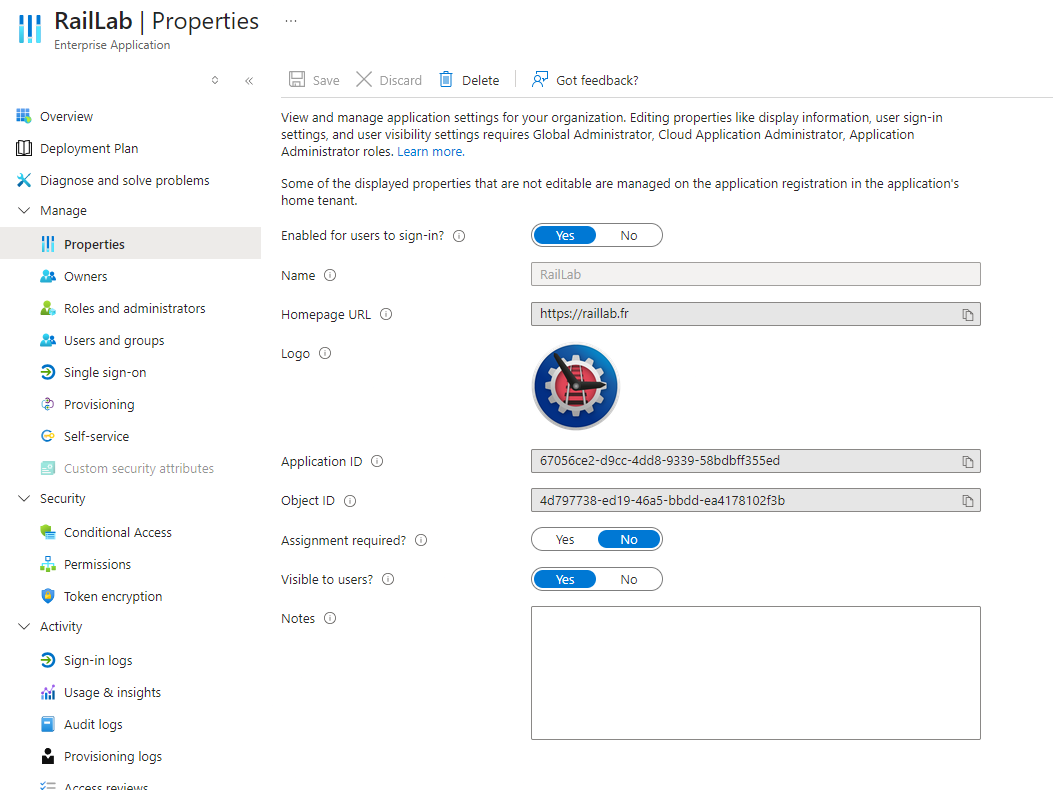
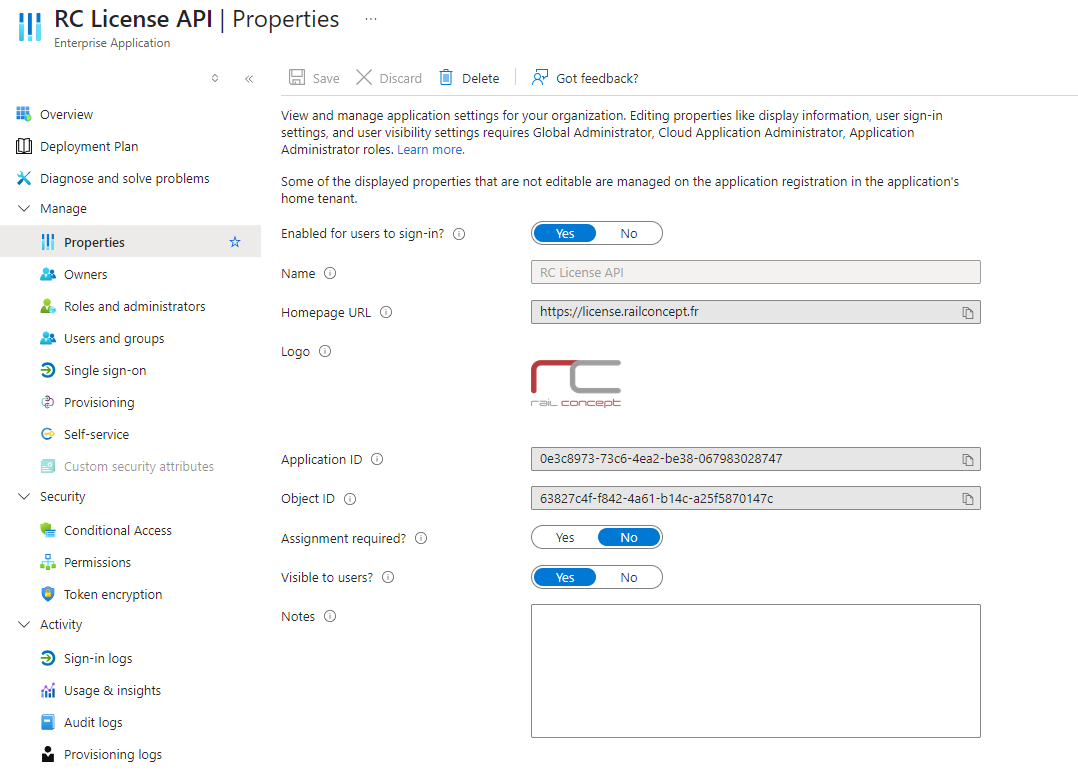
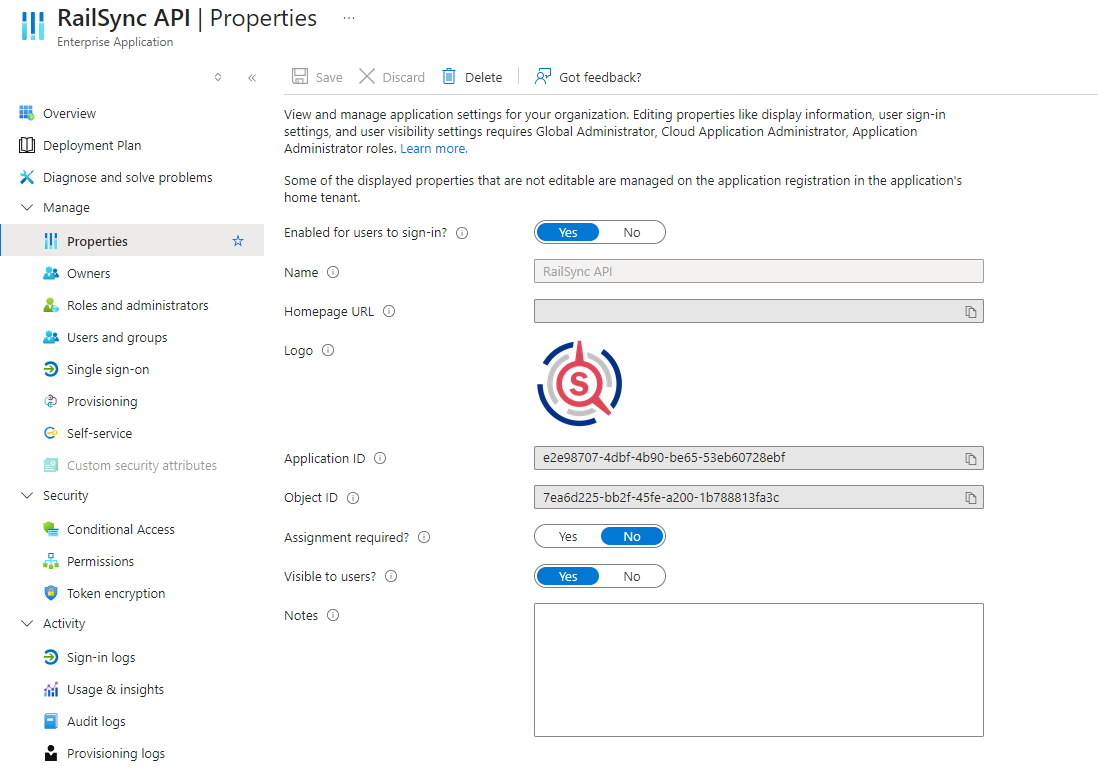
In the properties of each application you may also want to check the following checks:
- “Enabled for users to sign-in?”: If deactivated sign in is impossible
- “Assignment required?”: If actived, you must assign each user manually in the “Users and groups” tab for each application
Here’s the permissions required for every Enterprise Application, you will notice that no permission requiring an admin consent is needed
However this can change depending on your tenant’s settings, if so you need will need to press the button “Grant admin consent for
RailLab
Properties:
Admin permissions (empty):
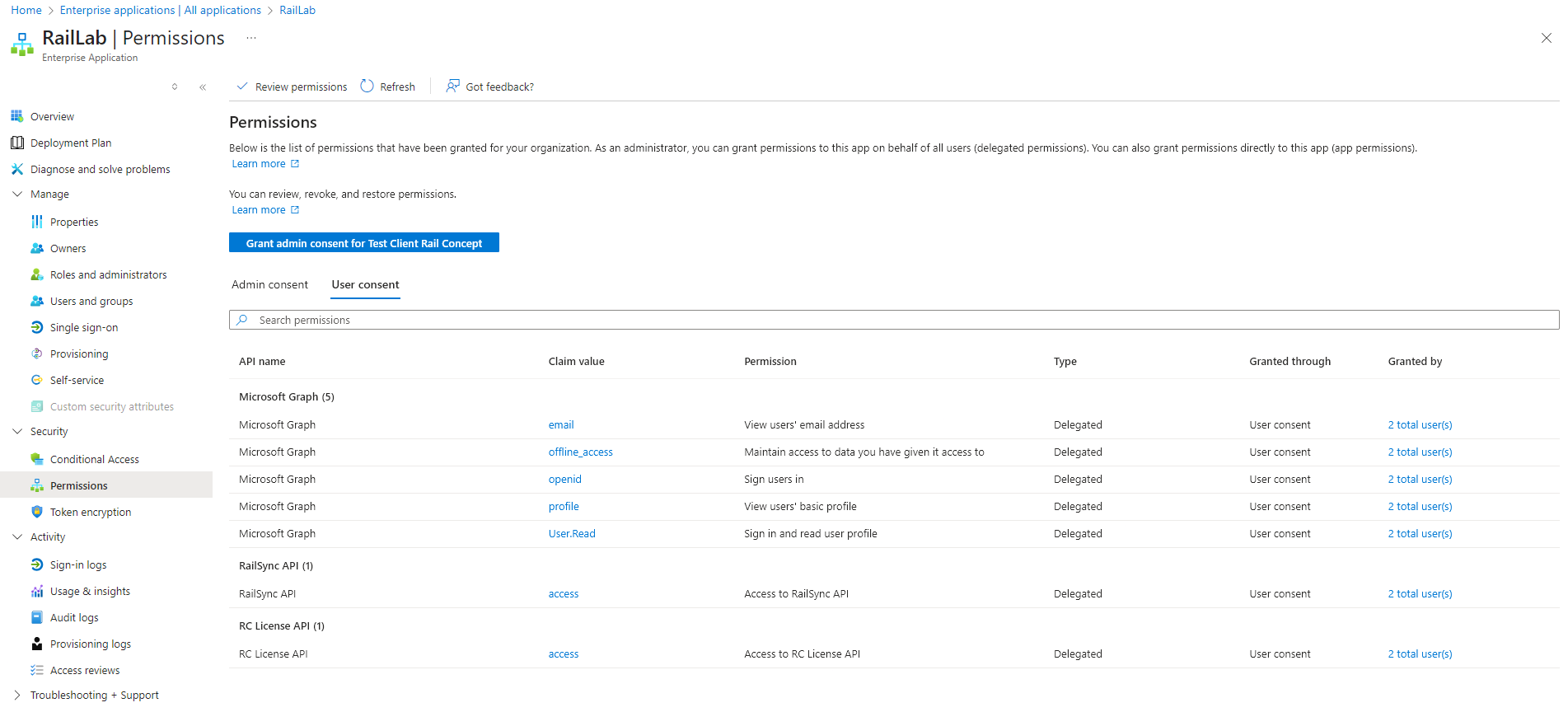
Full sized version
User permissions:
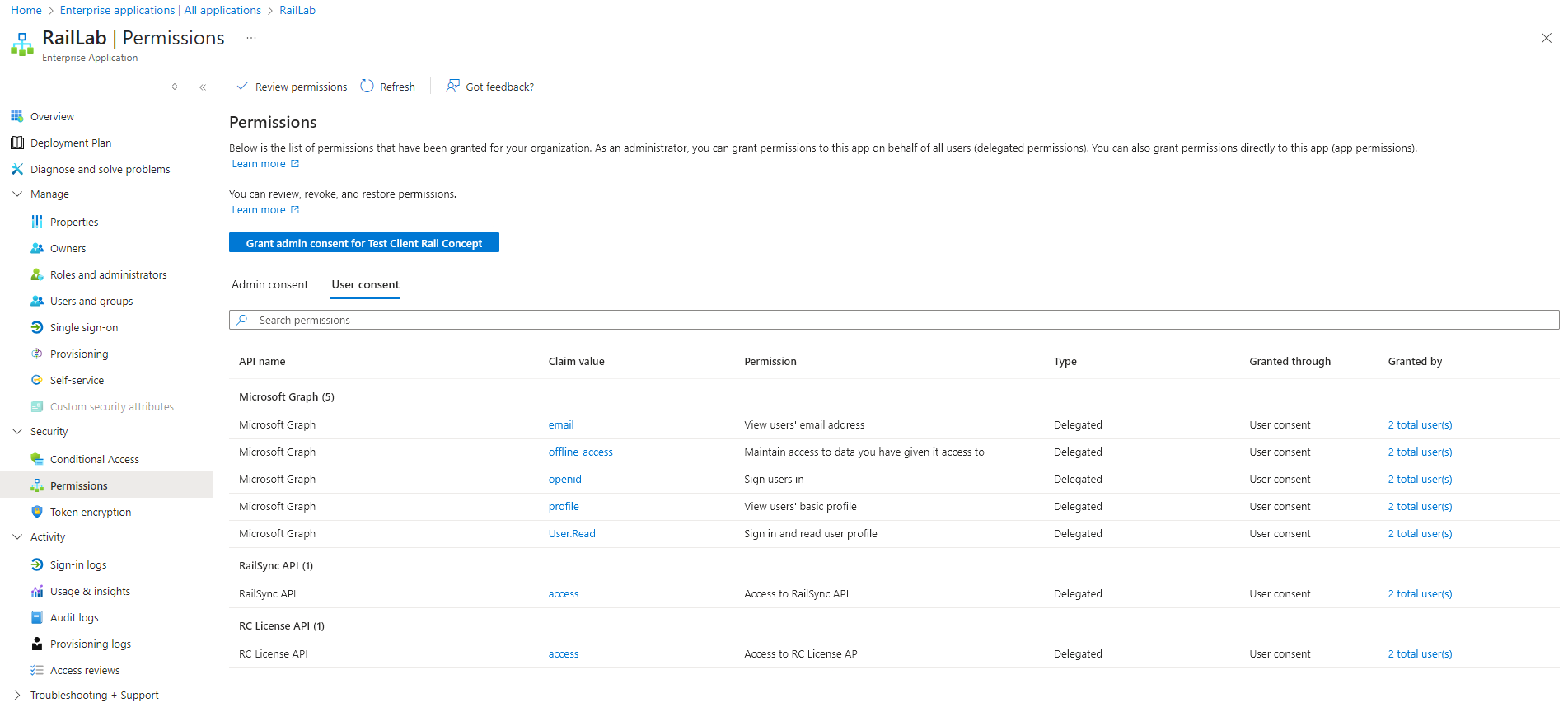
Full sized version
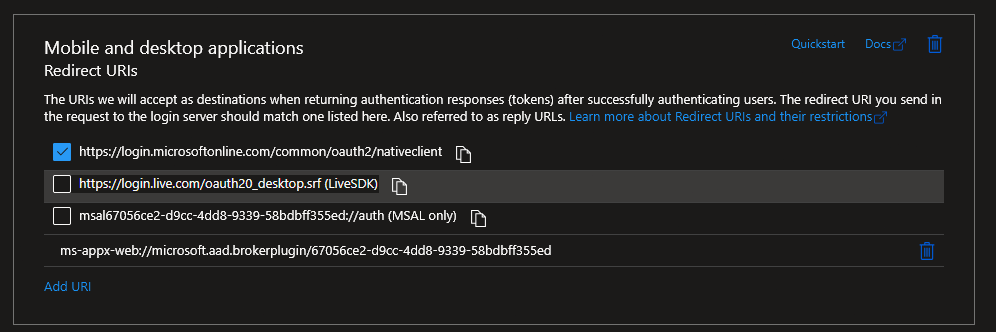
RailLab Application also use the following redirect URIs:
RC License API
Properties:
Admin permissions (empty):
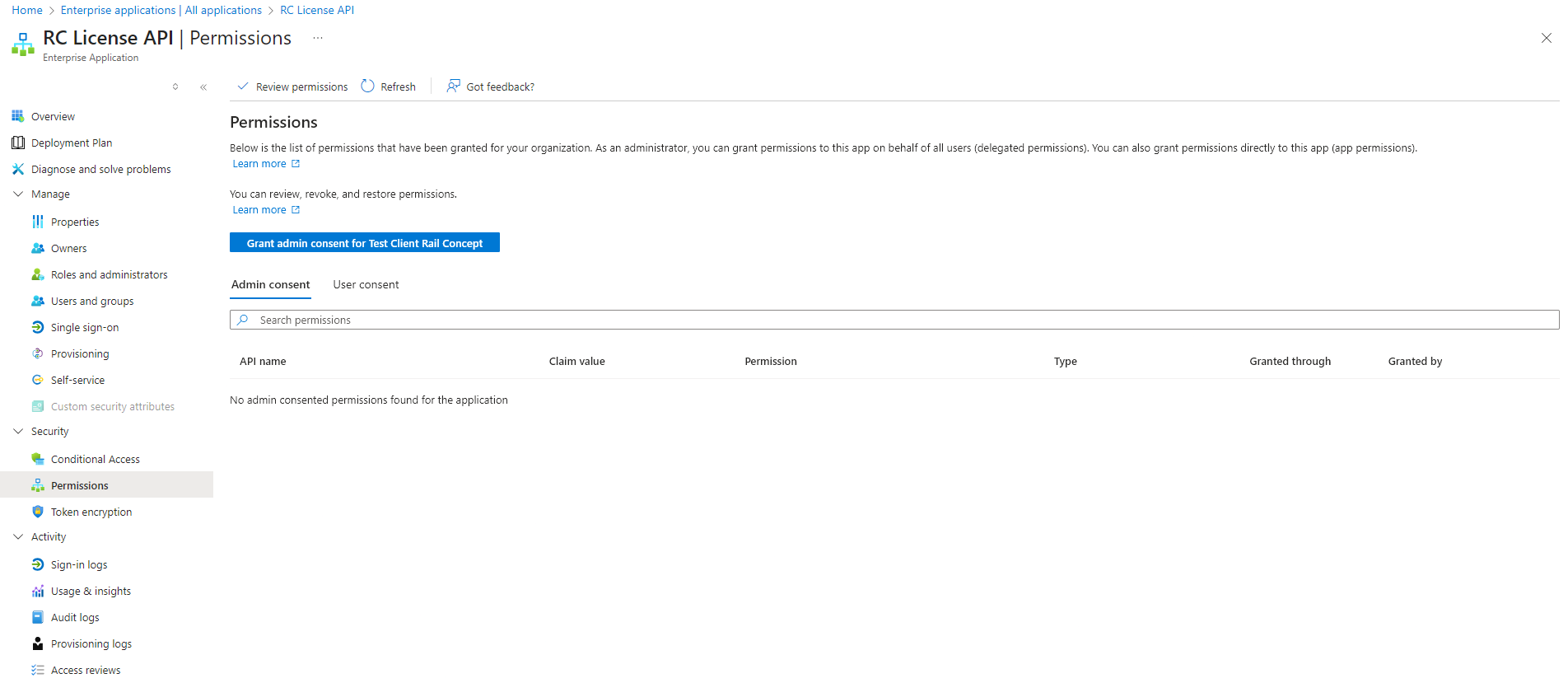
Full sized version
User permissions:
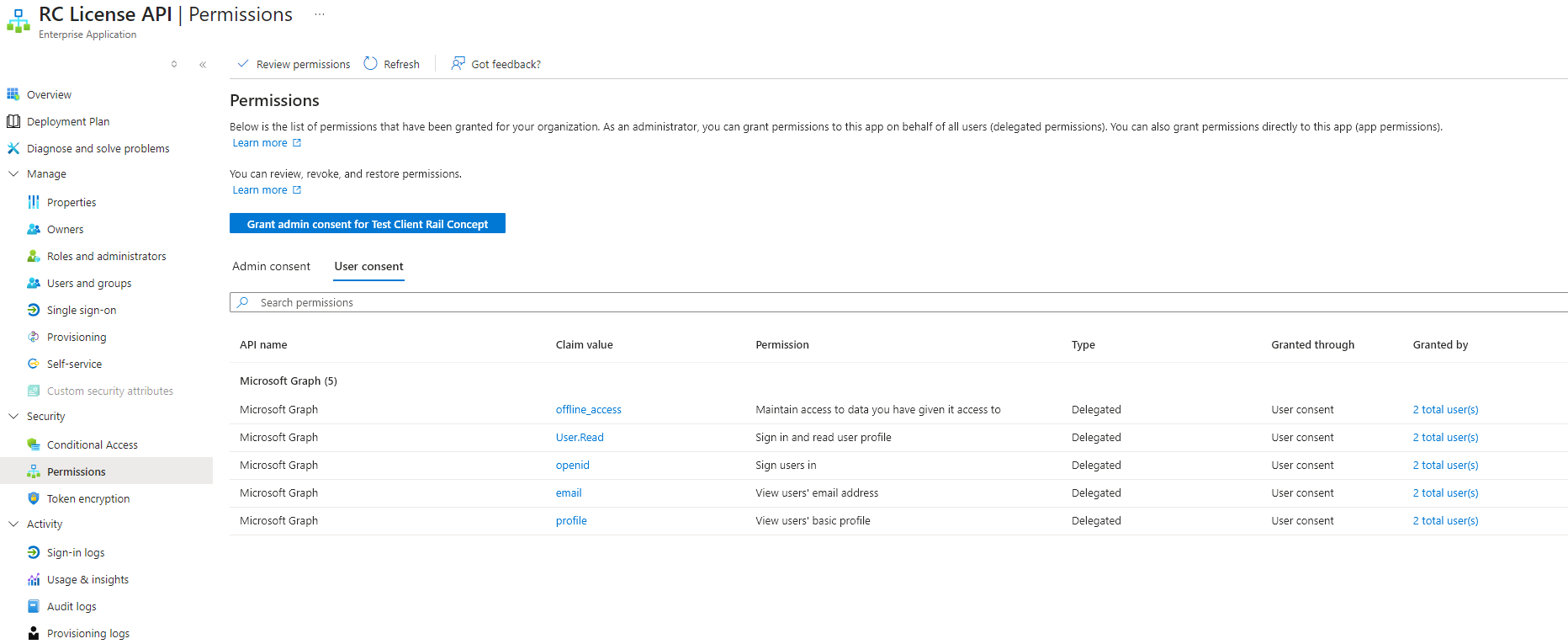
Full sized version
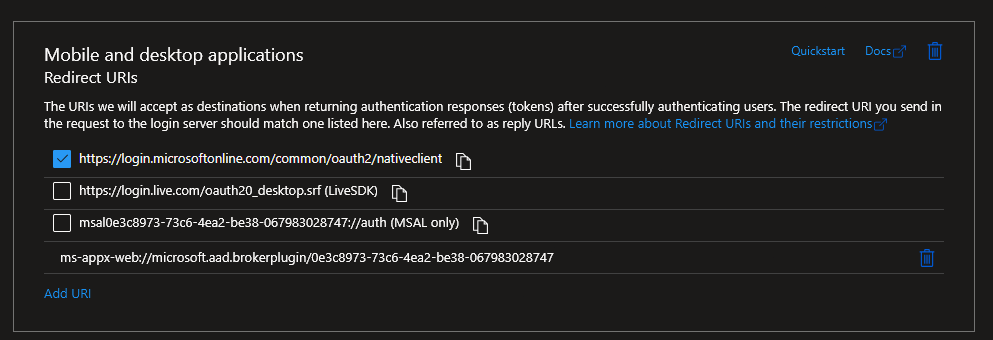
RC License API Application also use the following redirect URIs:
RailSync API
Properties:
Admin permissions (empty):
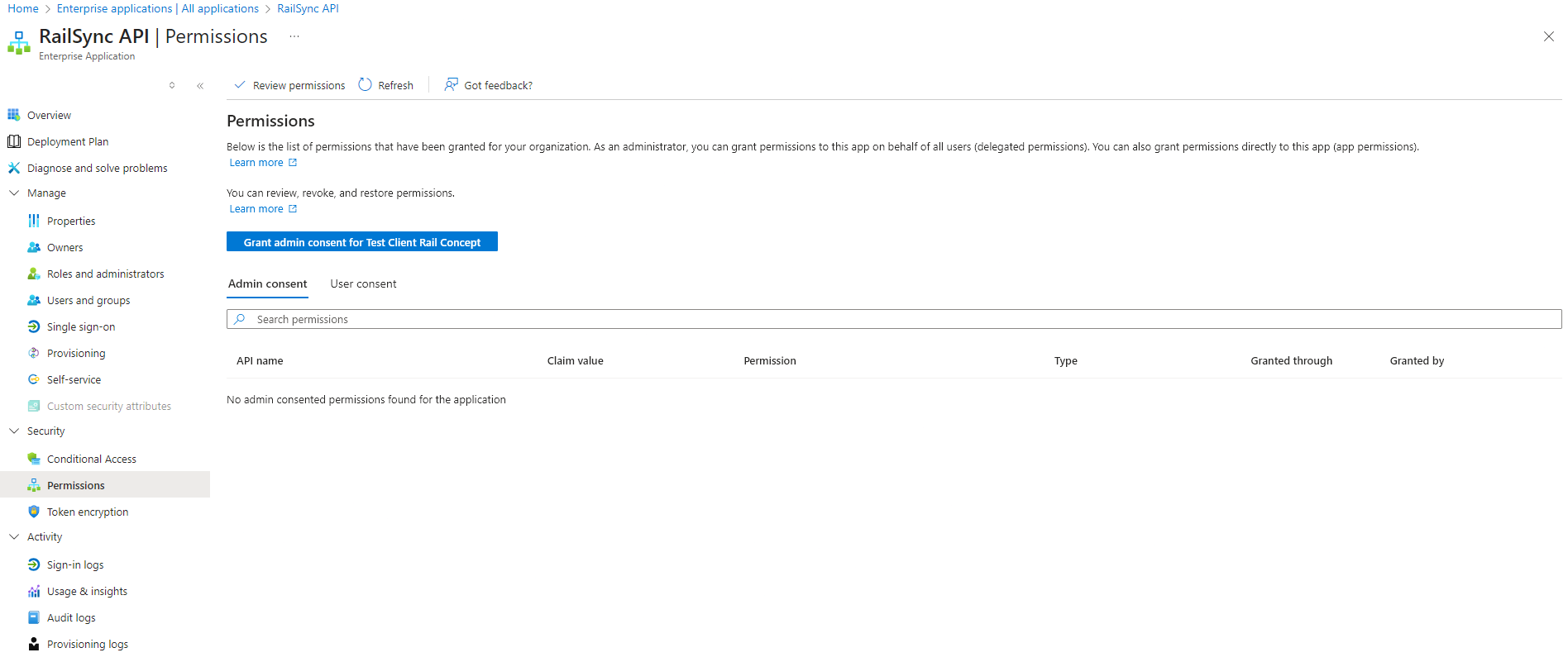
Full sized version
User permissions:
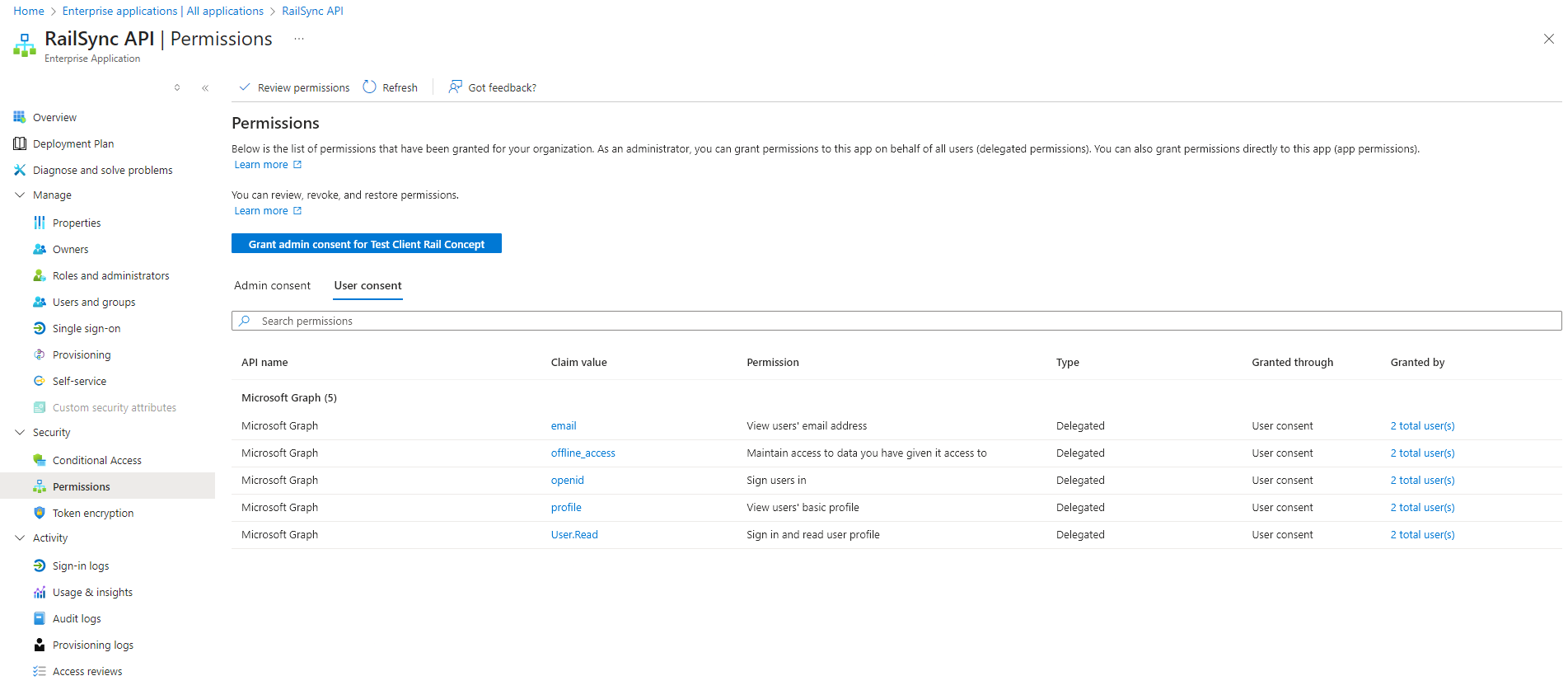
Full sized version
If you still experience issues after following those steps and checking everything, please email us at r.blin@railconcept.fr